Think about what's on your phone right now. UPI apps, WhatsApp chats, your college ID, bank OTPs, maybe five years of photos. If someone wanted to hurt you online, that's where they'd start. And that's exactly why companies pay people to break into phones and apps first (legally, of course).
Those people use Android hacking tools: programs that help ethical hackers find weak spots in Android apps and devices before criminals do. When we talk about mobile hacking in this post, we mean the legal kind, where you have written permission to test and you report everything you find.
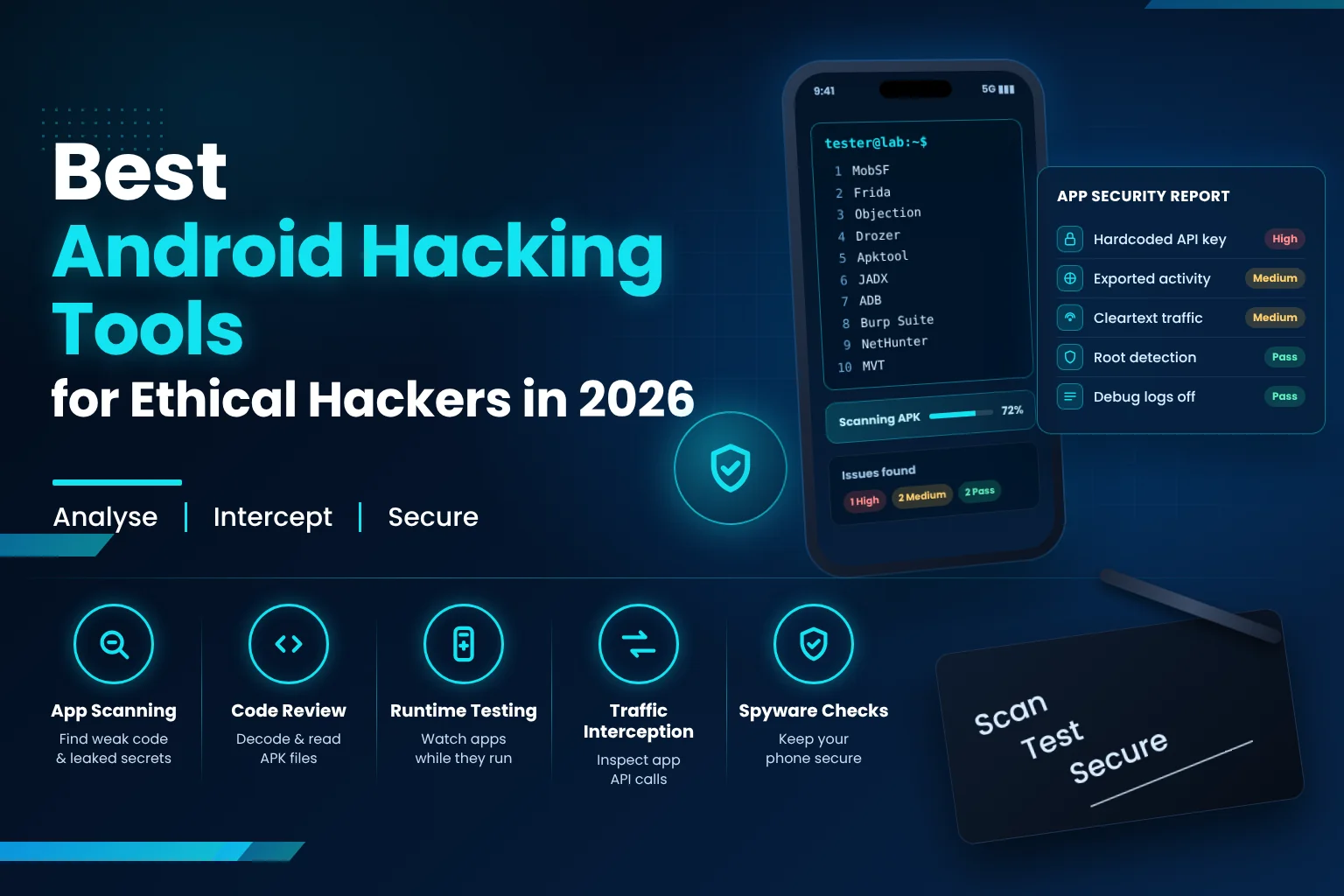
Below, you'll meet the 10 best Android hacking tools for 2026. For each one, we'll cover what it does, when it's worth reaching for, and how to practise with it without getting into trouble. We'll also show you how to tell if your own phone has been hacked.
Quick Summary
- New to this? Start with ADB, JADX and MobSF.
- Want to see an app in action? Try Objection, then move to Frida.
- Worried about spyware on your own phone? MVT is the one to look at.
- Budget: every tool here has a free version.
- The one rule you can't skip: only test devices and apps you own or have written permission to test.
What Is Mobile Hacking?
Mobile hacking means finding weaknesses in a smartphone, its operating system or the apps running on it, and then using them. A criminal does this to steal money or data. An ethical hacker does the same work with permission, so the company can fix the problem before anyone else finds it. In job listings, you'll usually see it called mobile application penetration testing.
So what does a mobile tester actually look at? Mostly questions like these:
- Where does the app save your data, and could another person read it?
- When the app talks to its server, is that conversation protected?
- Can someone skip the login screen or reuse an old session?
- Could a different app on the same phone sneak a look at its files?
Most people learn on Android first. It's open, it runs happily on a free emulator, and it's on the majority of phones in India, which keeps demand for these skills steady.
How Does Mobile Phone Hacking Work?
Here's the honest answer: mobile phone hacking usually works by fooling the person, not by cracking the phone. Most real attacks begin with a fake app, a phishing link or a password someone reused. Attacks that rely on a bug in Android itself are much rarer, and the monthly security updates close most of them.
You've probably seen a few of these already:
- The "helpful" APK. Someone shares an app file on WhatsApp or Telegram. Once installed, it asks for permission to read your SMS or use accessibility features. That's the red flag.
- The urgent message. "Your KYC has expired." "Your parcel is on hold." "Your electricity will be cut tonight." Each one links to a fake login page.
- A badly built app. Some apps save passwords as plain text or send data without proper encryption.
- Someone with your phone in their hands. If a person knows your screen lock, installing a monitoring app takes them two minutes.
- SIM swap fraud. The attacker convinces someone to issue a duplicate SIM in your name, and from then on, your OTPs go to them.
Even apps you trust can collect more than you'd expect. We've written about how apps spy on you if you'd like to dig into that side.
Is It Legal to Use Android Hacking Tools?
Downloading and learning these tools is legal. Pointing them at someone else's phone, app or network without permission is not. In India, unauthorised access can bring charges under Section 66 of the IT Act, 2000, which carries up to three years in prison, a fine of up to ₹5 lakh, or both.
Professional testers stick to three habits. They get permission in writing, they stay within the scope they agreed to, and they report what they find. "I was only testing my friend's phone for fun" doesn't count as permission. And if you ever stumble on a real bug in someone's app, report it responsibly rather than posting screenshots online.
10 Best Android Hacking Tools to Learn in 2026
Together, these tools cover a full mobile test: reading an app's code, watching it while it runs, catching the traffic it sends, and checking a phone for signs of compromise. Nearly all of them are free and open source, and you'll find almost all of these Android tools on GitHub. Download them only from the official project pages, because "free hacking app" sites often hide malware.
1. MobSF — Best for Automated App Security Scanning
MobSF (Mobile Security Framework) is an open-source scanner for Android and iOS apps. You drop in an APK, wait a minute or two, and get a report covering permissions, hardcoded secrets, risky settings and weak spots in the code.
- Works with Android APK files and iOS IPA files
- Points out API keys and passwords left inside the app
- Reads the app's manifest and warns you about risky settings
When should you use it? Run MobSF at the very start, when you want a rough map of the app. Just don't copy its report straight into your findings. Treat each item as a lead and check it yourself.
2. Frida — Best for Runtime Testing
Frida is what testers call a dynamic instrumentation toolkit. Put plainly, it lets you slip small scripts into an app while the app is running, so you can watch what it's doing or change its behaviour on the fly.
- Hook a function and see exactly what goes in and what comes out
- Get past checks like root detection in a test app
- Follow API calls as they happen
When should you use it? Reach for Frida when reading the code doesn't tell you enough. You'll need a rooted test device, an emulator or a patched copy of the app, and a little JavaScript.
3. Objection — Best for Beginners Learning Runtime Testing
Objection sits on top of Frida and does a lot of the hard work for you. Instead of writing scripts, you type ready-made commands and see results straight away.
- Browse the app's files and the data it keeps
- Try an SSL pinning bypass in your lab
- See how the app handles the Android Keystore
When should you use it? Use Objection as your first step into runtime testing, then move to custom Frida scripts once the basics click. If you want to see a real case, our SSL pinning bypass guide walks through one.
4. Drozer — Best for Testing App Components
Drozer behaves like a second app sitting on the same phone. From there, it checks what your target app leaves open to other apps through its activities, services, content providers and broadcast receivers.
- Spots parts of the app that any other app can reach
- Tests content providers for data leaks and SQL injection
- Ships with Sieve, a purposely vulnerable app for practice
When should you use it? Pick Drozer when your question is, "Could a malicious app on this phone steal data from the app I'm testing?" The current version 3 runs on Python 3 and is maintained by Reversec Labs.
5. Apktool — Best for Decoding APK Files
Apktool unpacks an APK into files you can actually read, such as the AndroidManifest.xml file and the app's resources. You can also use it to pack the app back up after changing something.
- Turns resources back into something close to their original form
- Shows you the permissions and exported components in the manifest
- Rebuilds a modified APK so you can test it in your lab
When should you use it? Open the app with Apktool early on, mainly to read the manifest and see what it's asking for. Rebuilding apps is strictly a lab exercise. Never pass a modified app on to anyone.
6. JADX — Best for Reading App Code
JADX is a decompiler. It takes the compiled code inside an Android app (the DEX files) and turns it back into Java you can read. You can run it from the command line or open it as a small desktop app.
- Opens an APK and lets you browse it like a normal code project
- Searches for giveaway words such as "password", "token" or "http://"
- Jumps from one class or method to the next in a click
When should you use it? Keep JADX open next to your MobSF report and use it to confirm what the scanner flagged. Some code will look like gibberish. That's obfuscation, a trick developers use to make reverse engineering harder.
7. ADB — Best for Device Control and Debugging
ADB (Android Debug Bridge) is Google's own command-line tool for controlling an Android phone or emulator from your computer. Most of the other tools here lean on it.
- Install and uninstall apps
- Open a shell on the device
- Watch live logs through logcat
When should you use it? Learn ADB before anything else. It comes free with Google's SDK Platform-Tools, and once you're comfortable with it, setting up every other piece of mobile hacking software on this list gets a lot less painful.
8. Burp Suite — Best for Intercepting App Traffic
Burp Suite places itself between the app and its server and shows you every request and response. If you've used it for web testing, there's nothing new to learn here. You just route the phone's traffic through Burp.
- Capture the API calls the app makes
- Edit parameters and send requests again
- Test login, OTP and payment flows, staying inside your agreed scope
When should you use it? Use Burp Suite when you want to test the server side of an app, which is where a lot of the serious bugs turn up. One heads-up: since Android 7, apps don't trust user-added certificates by default, so certificate setup will take a little extra time. If Burp is new to you, start with our guide to Burp Suite and other web testing tools.
9. Kali NetHunter — Best Mobile Pentesting Platform
Kali NetHunter is a free, open-source penetration testing platform for Android, made by the same team behind Kali Linux. Think of it as Kali that fits in your pocket.
- NetHunter Rootless works on most phones without root
- The full edition adds extra features on supported rooted phones
- Lets you run Nmap and other command-line tools right from your phone
When should you use it? NetHunter is handy when you need a portable kit for on-site work. If you're looking for an ethical hacking app download, get NetHunter only from the official Kali NetHunter page. Install Termux from F-Droid or GitHub as well, because the Google Play listing is outdated. For desktop tools, see our list of Kali Linux tools for network testing.
10. MVT — Best for Checking a Phone for Spyware
MVT (Mobile Verification Toolkit) comes from Amnesty International's Security Lab, and it's free. It looks through data from Android phones and iPhones for known traces of spyware, including Pegasus.
- Checks iPhone backups and Android data against lists of known threats
- Pulls those lists from Amnesty and other security researchers
- Is meant only for checks the phone's owner has agreed to
When should you use it? MVT is the tool to try if you think someone has planted spyware on your phone, or if a friend asks you to check theirs. It's built purely for defence, and its licence is written so that nobody can use it on a phone without the owner's consent.
Comparison of the Best Android Hacking Tools
Here's a quick side-by-side view of all 10 tools.
- ADB: best for device control. Root needed: No. Free: Yes. Level: Beginner.
- JADX: best for reading app code. Root needed: No. Free: Yes. Level: Beginner.
- MobSF: best for automated scanning. Root needed: No. Free: Yes. Level: Beginner.
- Apktool: best for decoding apks. Root needed: No. Free: Yes. Level: Beginner.
- Burp Suite: best for traffic interception. Root needed: No (certificate setup needed). Free: Free Community edition. Level: Beginner to intermediate.
- MVT: best for spyware checks. Root needed: No. Free: Yes. Level: Intermediate.
- Kali NetHunter: best for mobile pentest platform. Root needed: Optional (Rootless edition). Free: Yes. Level: Intermediate.
- Objection: best for guided runtime tests. Root needed: Usually (or a patched app). Free: Yes. Level: Intermediate.
- Drozer: best for app component testing. Root needed: No. Free: Yes. Level: Intermediate.
- Frida: best for custom runtime testing. Root needed: Usually (or a patched app). Free: Yes. Level: Advanced.
Can an iPhone Be Hacked?
Yes, an iPhone can be hacked. It just doesn't happen as often, or as easily, as people assume. When iPhone users do lose data, it's usually through phishing, a stolen Apple Account password or a dodgy configuration profile they were tricked into installing. The really advanced spyware exists too, but it tends to go after specific people: journalists, activists, officials.
Apple has started warning those people directly. Since August 2026, its threat notifications show up on the iPhone Lock Screen and in Settings, and Apple's advice for anyone who gets one is to turn on Lockdown Mode. A real Apple alert will never ask you to tap a link or type in your password.
A few habits keep an iPhone in good shape:
- Update iOS as soon as a new version arrives.
- Turn on two-factor authentication for your Apple Account.
- Open Settings → General → VPN & Device Management and remove any profile you don't recognise.
- Don't jailbreak the phone you use for banking or work.
How to Find Out If Your Phone Is Hacked
If you want to find out if your phone is hacked, start by looking for things you didn't do yourself. Think apps you never installed, OTPs you never asked for, a battery that dies too fast, odd spikes in data use, or logins from devices you don't own. A single sign on its own doesn't prove much. When three or four show up together, it's time to check properly.
Warning signs to watch for
- An app you don't remember installing, especially one without an icon
- OTPs or "new login" alerts you didn't trigger
- A battery that drains, or a phone that warms up, while you're not using it
- Mobile data use that suddenly jumps
- Pop-up ads appearing outside any app
- WhatsApp or Gmail open on a device you don't recognise
Steps to check and secure your phone
- Open the Play Store and run a Google Play Protect scan.
- Look at which apps have Accessibility or Device admin access, and remove any you don't recognise. These permissions can let an app read your screen or stop you from uninstalling it.
- In WhatsApp, open Linked devices and log out of any session that isn't yours.
- Run Google's Security Checkup and sign out of devices you don't know.
- From a phone or laptop you trust, change your important passwords and turn on two-step verification.
- Update your phone. If things still feel wrong, back up your photos and do a factory reset.
If you've lost money or your accounts have been misused, don't wait. Report it at cybercrime.gov.in or call the national cyber fraud helpline on 1930.
How to Practise Android Hacking Safely in a Mobile Hacking Lab
The safest place to practise is a small mobile hacking lab on your own laptop. All you need is an Android emulator, a handful of apps that were built to be insecure, and the tools above. Nothing real can break, and if you mess something up, you reset it and carry on.
Here's what goes into a basic setup:
- Android Studio emulator. It's free. Emulator images without Google Play let you get root through ADB, which Frida and Objection need.
- Practice apps. DIVA (Damn Insecure and Vulnerable App), InsecureBankv2, Drozer's Sieve and the OWASP MAS Crackmes are all made for this.
- A free study guide. The OWASP Mobile Application Security Testing Guide (MASTG) explains each test step by step.
If you're not sure where to begin, this order works well for most beginners: ADB, JADX, MobSF, Burp Suite, Objection, Frida and finally Drozer. Spend about a week on each before moving on.
Common Mistakes Beginners Make with Android Hacking Tools
- Grabbing "hacking apps" from YouTube links or random APK sites. Plenty of them are malware dressed up for beginners.
- Experimenting on the phone you use every day. An emulator or an old spare phone is a much safer choice.
- Believing every line of a scanner report. MobSF gives you leads. Confirming them is your job.
- Skipping straight to Frida. Get comfortable with ADB and learn how Android apps are put together first.
- Testing without permission. "I was just checking" won't hold up as an excuse.
Frequently Asked Questions
1. Which Android hacking tool should a beginner learn first?
Begin with ADB, since nearly every other tool relies on it. After that, learn JADX and MobSF so you can read and scan apps, and then move on to Burp Suite and Objection.
2. Can I use Android hacking tools without rooting my phone?
For most of them, yes. ADB, JADX, Apktool, MobSF, Drozer, MVT and NetHunter Rootless all work without root. Frida and Objection usually need root or a patched app, so use a rootable emulator for those instead of your own phone.
3. Are Android hacking tools free?
Every tool in this guide has a free version. Burp Suite is the only one that also sells a paid edition (Professional), and the free Community edition is plenty for learning.
4. Can I use these tools on my friend's phone if it's just for fun?
No. Without the owner's written permission, testing their phone counts as unauthorised access under the IT Act, even if you mean no harm. Stick to your own devices, emulators and practice apps.
5. Can an app tell me if my phone is hacked?
Only partly. Google Play Protect catches most everyday malware, but advanced spyware needs a forensic check with something like MVT. No app catches everything, so keep an eye on the warning signs above as well.
6. Do I need coding skills for mobile hacking?
Not to get started. Basic Linux commands will carry you through ADB, MobSF and JADX. Later on, being able to read Java helps with app code, and a little JavaScript goes a long way with Frida.
Conclusion
Android hacking tools are the starting point for anyone serious about mobile security. ADB, JADX and MobSF teach you how apps are put together. Burp Suite, Objection and Frida show you how they behave once they're running. Drozer and MVT reveal what other apps, or attackers, might be able to reach.
You don't have to learn all ten this month. Choose one, spend this week with it in your lab, and pick up the next one when the first feels easy.
Build Your Mobile Security Skills with Securium Academy
Securium Academy's CEH v13 course includes a full module on hacking mobile platforms, and our VAPT internship lets you work on real projects with mentors beside you. Not sure which one fits? Talk to our team and we'll help you choose.